| OsProject | |
|---|---|
 edit edit
| |
| id | com.bitplan.sprinkler |
| state | |
| owner | BITPlan |
| title | software for sprinkler control / water irrigation system based on weather and other parameters |
| url | https://github.com/BITPlan/com.bitplan.sprinkler |
| version | 0.0.1 |
| description | |
| date | 2018-08-20 |
| since | |
| until | |
Please go to the Manual / Help page for more details.
See also
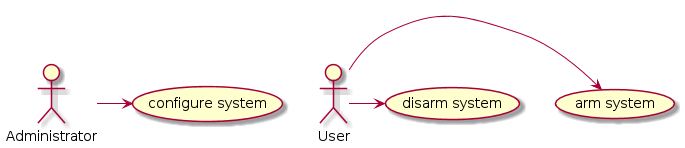
As an administrator I'd like to configure the system.
As a user I'd like to arm/disarm the system. When the system is armed it will automatically sprinkle. If the system is disarmed only manual operation of the sprinkler is possible.
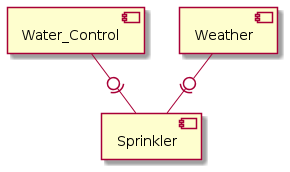

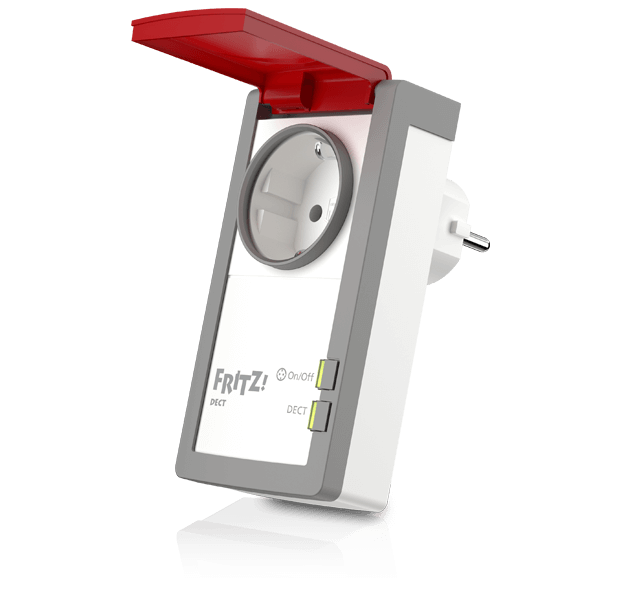
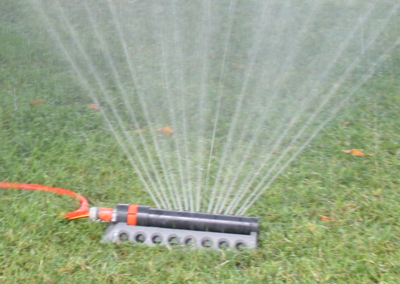
The system assumes that your sprinkler is controllable via a simple power on/power off mechanism. This is true for quite a few situations where your sprinkler is operated via a garden pump.
https://avm.de/fileadmin/user_upload/Global/Produkte/FRITZDECT/210/fritzdect_210_left_de_640x600.png AVM Fritz DECT 210
Download jar (OS independent) or exe (Windows) file from https://github.com/BITPlan/com.bitplan.sprinkler/tree/master/release
java -jar sprinkler.jar -h
should show the available command line parameters
java -jar sprinkler.jar -rf
2018-08-06 15:00:00 1.62 mm
2018-08-06 18:00:00 3.66 mm
2018-08-06 21:00:00 2.63 mm
2018-08-07 00:00:00 0.32 mm
2018-08-07 03:00:00 0.0 mm
2018-08-07 06:00:00 0.0 mm
2018-08-07 09:00:00 0.0 mm
2018-08-07 12:00:00 0.0 mm
2018-08-07 15:00:00 1.14 mm
2018-08-07 18:00:00 0.31 mm
2018-08-07 21:00:00 0.0 mm
2018-08-08 00:00:00 0.0 mm
2018-08-08 03:00:00 0.38 mm
2018-08-08 06:00:00 1.52 mm
A minimal configuration file "default.json" looks like this:
{
  "appid": "<insert your openweathermap api key here>",
  "location": { "id": 2887186 }
}
First you might want to get an appid from openweathermap. You can find the id of your nearest location with some of the geo calls of the API: https://openweathermap.org/current#geo
 Icon made by Freepik from www.flaticon.com
 Icon made by Gregor Cresnar from www.flaticon.com
 Icon made by Smashicons from www.flaticon.com